A collaborative, agentic data pipeline canvas
Taking a chat interface to an agentic canvas: allowing users to build data pipelines through natural language while still getting hands-on, visual control over the details.
Timeline
Q3 2026 (~3 months)
Team
6 designers
Role
Lead Product Designer
THE CHALLENGE
A chat interface alone wasn't enough for effective agentic pipeline building
Building data pipelines on our data integration platform was difficult, even with the existing agentic experience that allowed users to generate a pipeline from natural language. The only way to collaborate with the agent was through the chat and users couldn’t make detailed refinements or configure the pipeline to their specific use case. Since the canvas was not integrated into the chat interface, there was no visual representation of the pipeline and no easy way to iterate beyond what a chat format could support.
As-is agentic experience that is strictly chat-based with no canvas integration
As-is pipeline building canvas without any agentic support
The vision
What if the capabilities of agentic chat and the control of manual pipeline building lived in the same experience?
Merging the agentic chat experience with the pipeline canvas started with breaking each one down to identify its strengths, then ideating on how to bring them together into one experience that captures the strengths of both.
Strengths of chat-based agentic experience
Natural language input → pipeline
Quick way to start working
Abstracts away complexity
Doesn't require technical knowledge


Strengths of manual pipeline-building canvas
Full control over the pipeline configuration
Visual understanding of pipeline's structure
Supports complex pipelines difficult to describe in words
Easier tracing of issues and debugging
Solution
A collaborative + intelligent canvas where users can move freely between natural language and hands-on building
We brought the data integration agent directly into the canvas, turning pipeline building into a collaborative, hands-on workspace instead of a conversation. Users can move freely between natural language and hands-on canvas editing to build and iterate as they go. The agent is intelligent, adaptive and meets users where they are - stepping in with suggestions and guidance when needed, and stepping back when it's not.
Multiple ways to interact and collaborate with the agent
1
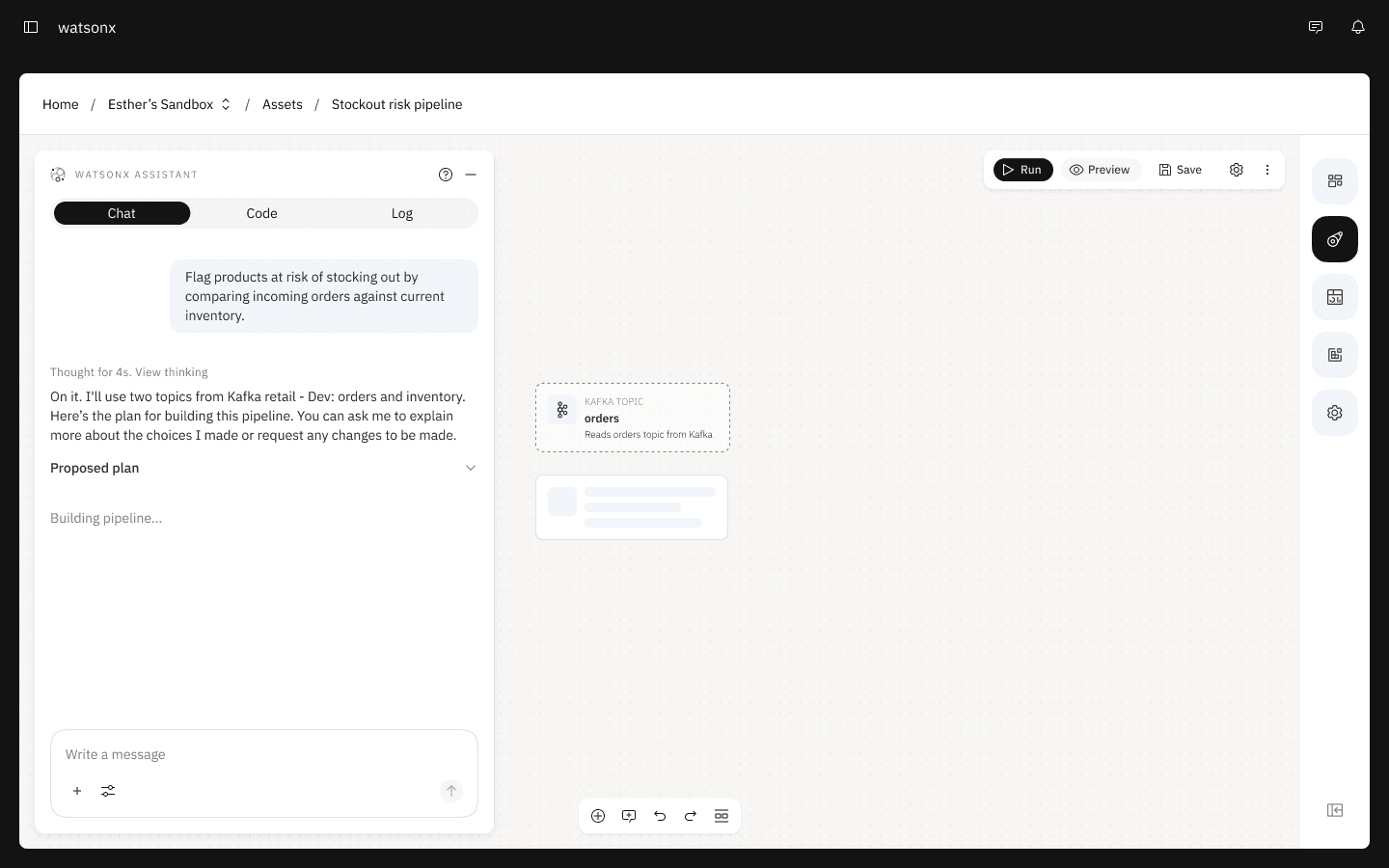
Prompt the agent to generate a pipeline from natural language (the suggested starting point)
2
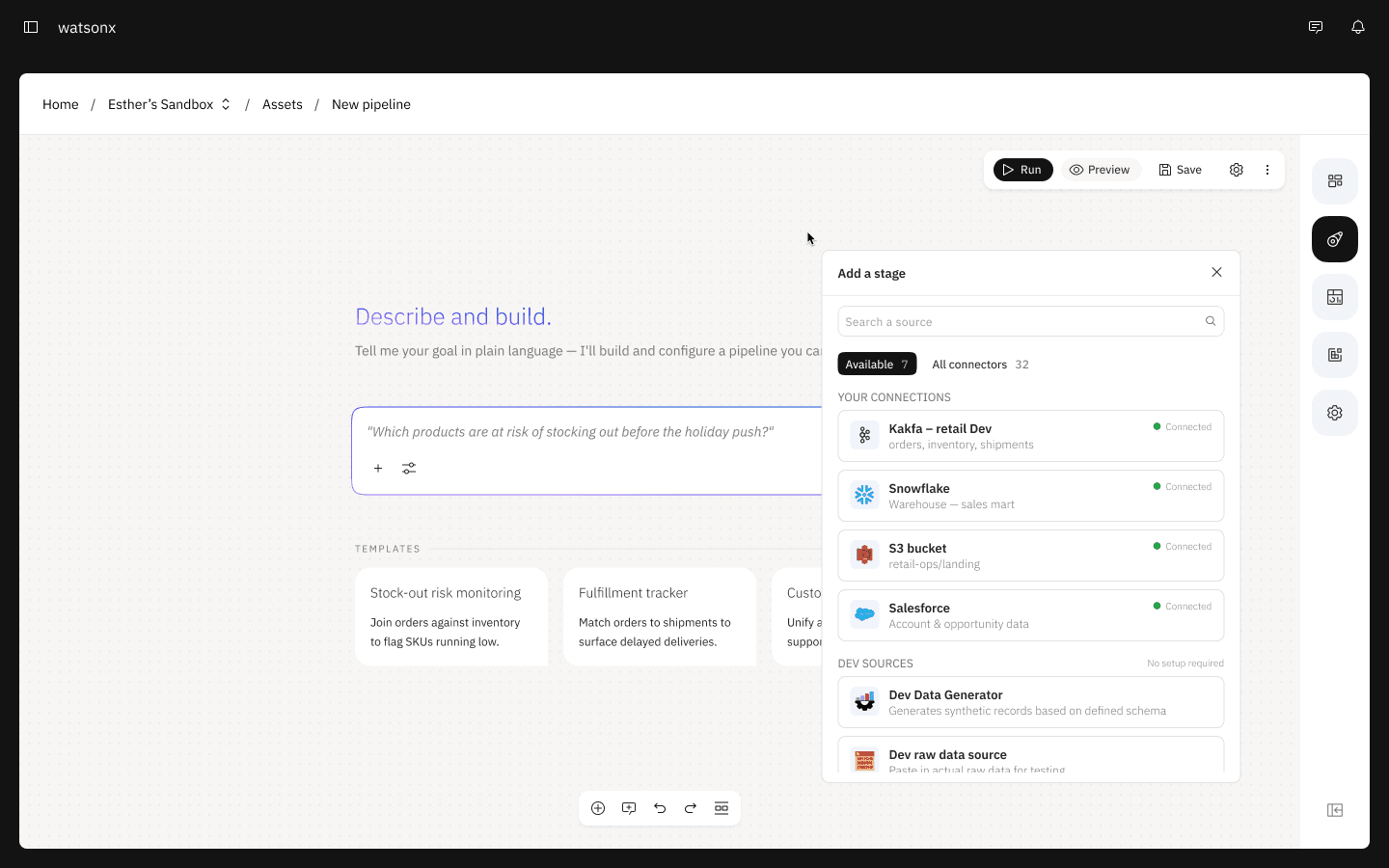
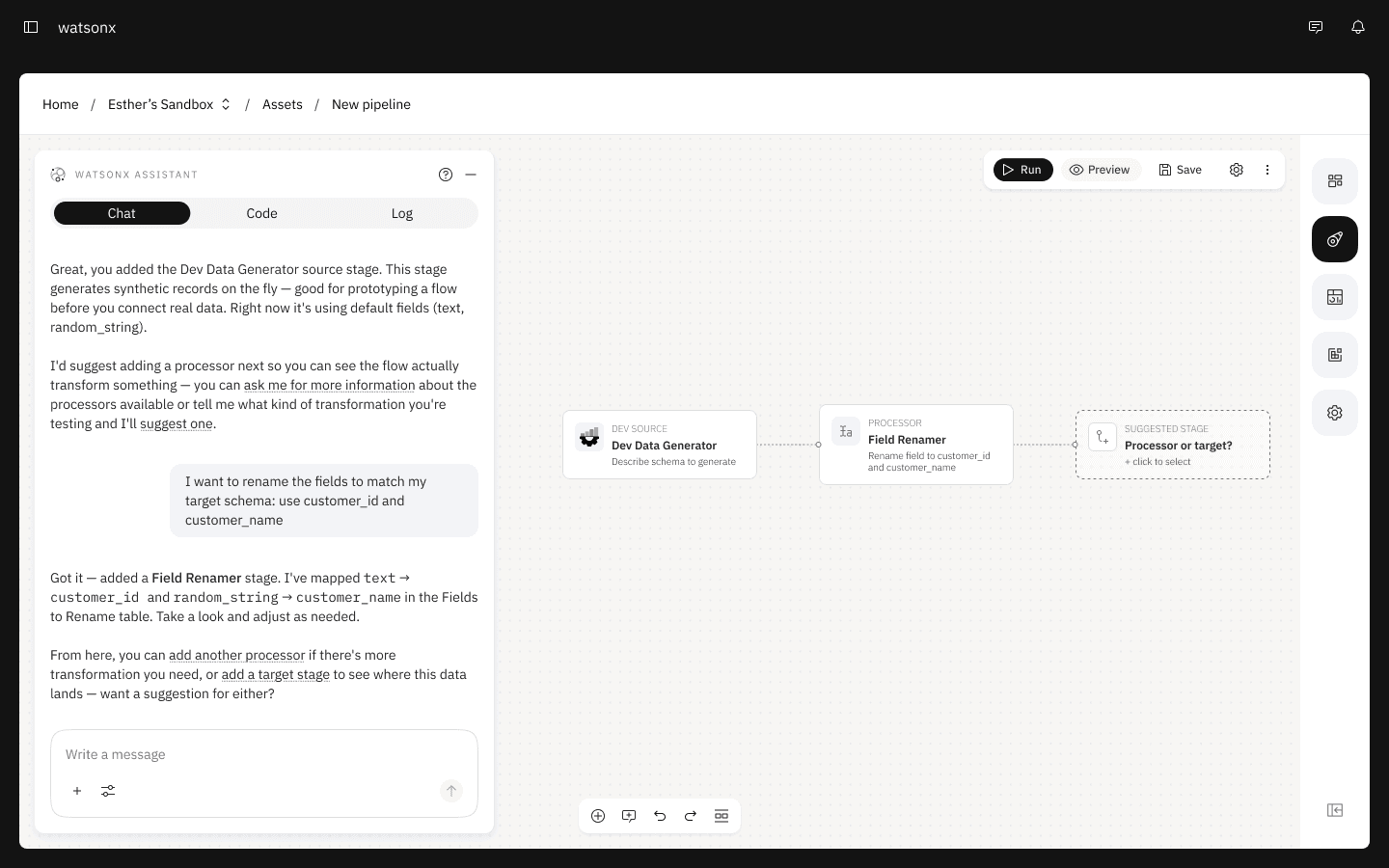
Build manually by adding stages directly to the canvas with agentic guidance and suggestions
3
Combination of both where you can start one way and switch over to the other at any point
Making agent involvement visible and reviewable
Before committing to building the pipeline, the agent presents a plan outlining the steps involved so users can anticipate what’s to come and refer back to it throughout the process.
Intelligent suggestions that improves or troubleshoots pipeline issues

The agent actively seeks opportunities to optimize pipeline performance, flagging issues and recommending resolutions as they arise.
Giving technical users a path to depth

The stage configuration panel allow technical users to dig into the details and adjust as needed.
Smart suggestions are made by the agent for user to accept or ignore.
design process
Iterating from a chat-first to a canvas-first entry point
My initial approach started users on a chat landing page with an option to skip prompting and build manually. User's first prompt returns a plan in the chat and accepting it transitions users into the canvas, where the agent began building the pipeline.
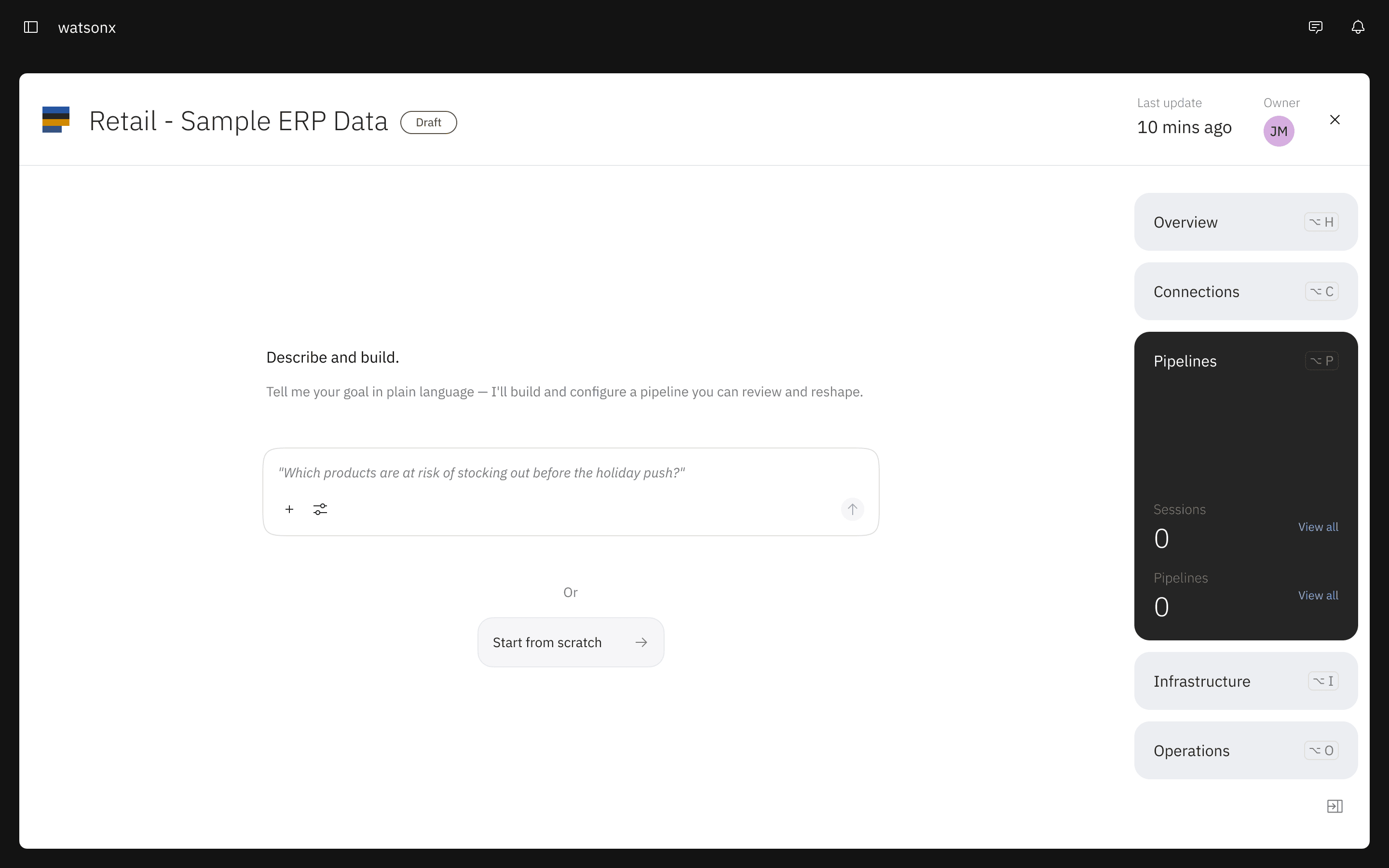

Initial iteration: chat-first entry point
Testing this iteration showed the chat and canvas still felt like two separate experiences stitched together. So I took a different approach: start users directly in the canvas, with the prompt bar as the main call to action, while still letting them right-click anywhere to build manually. With users already in the canvas from the start, there was no transition from the chat — just one smooth flow.


Final iteration: canvas-first entry point
Designing the canvas from scratch
This project was also an opportunity to redesign the existing canvas experience from scratch. This meant we could go beyond the limitations of the legacy canvas components and design more custom, agentic features into the canvas experience. I designed the core canvas components from scratch: the stage nodes, connectors, stage library, and configuration panel, and more.
Ghost stage
expand stage
running stage

streaming pipeline
connectors

IMPACT & RESULTS
After building out a fully interactive MVP prototype of the agentic canvas, we ran an extensive internal research and feedback program to validate the concept before committing engineering investment.
22 internal stakeholders
interviewed
8.7 / 10
average score
The results of the research gave strong early validation for the core direction of combining the chat and canvas experience. That evidence is now the foundation for the next step: building the case internally for formal requirements and a path to development.